The Murim Map
The Murim Map screen
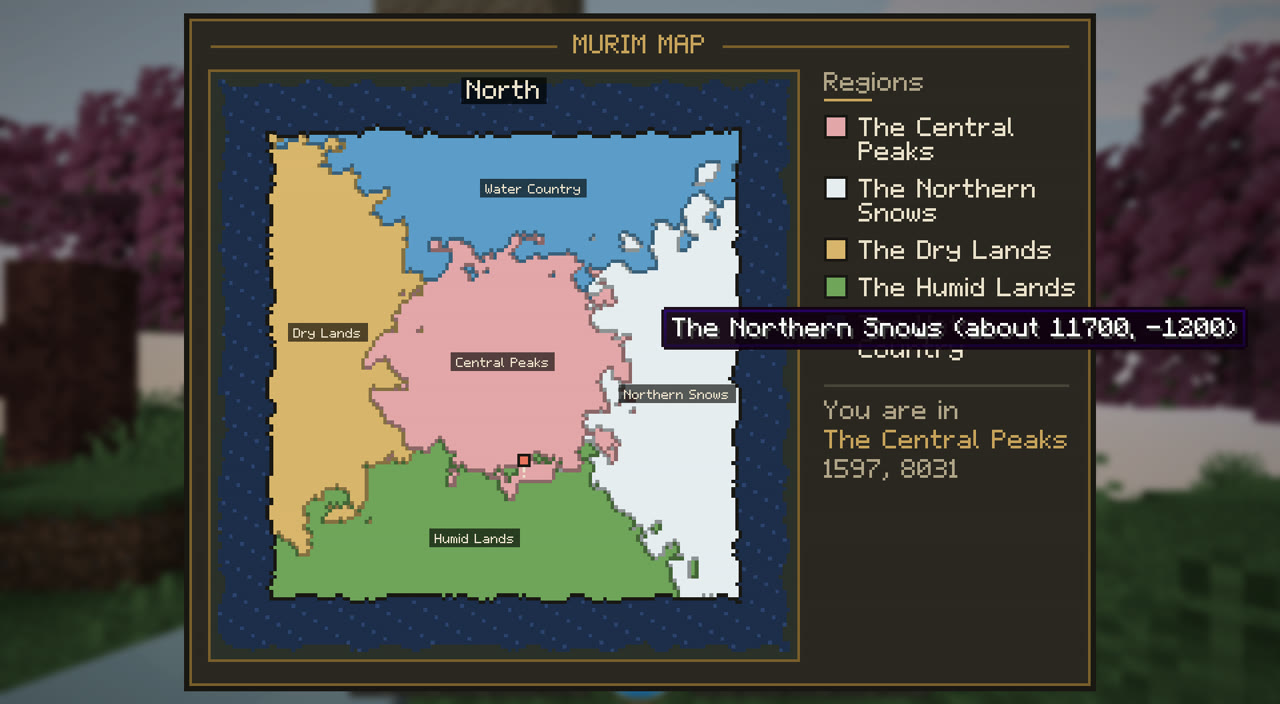
Press M: the Murim bubble from above, its regions by name, and a red seal where you stand.
Press M, or the Murim Map button on the Info page of the Murim menu.
- The Murim seen from above, north at the top, its coast inked and the Encircling Ocean round it.
- Each region in its colour, its name in the middle of its land.
- You: a blinking red seal pointing the way you face. The side shows the regions and the one you are in; hovering shows a region and its rough coordinates.
In a world made without the Murim map, it says so.